MyPwdTool

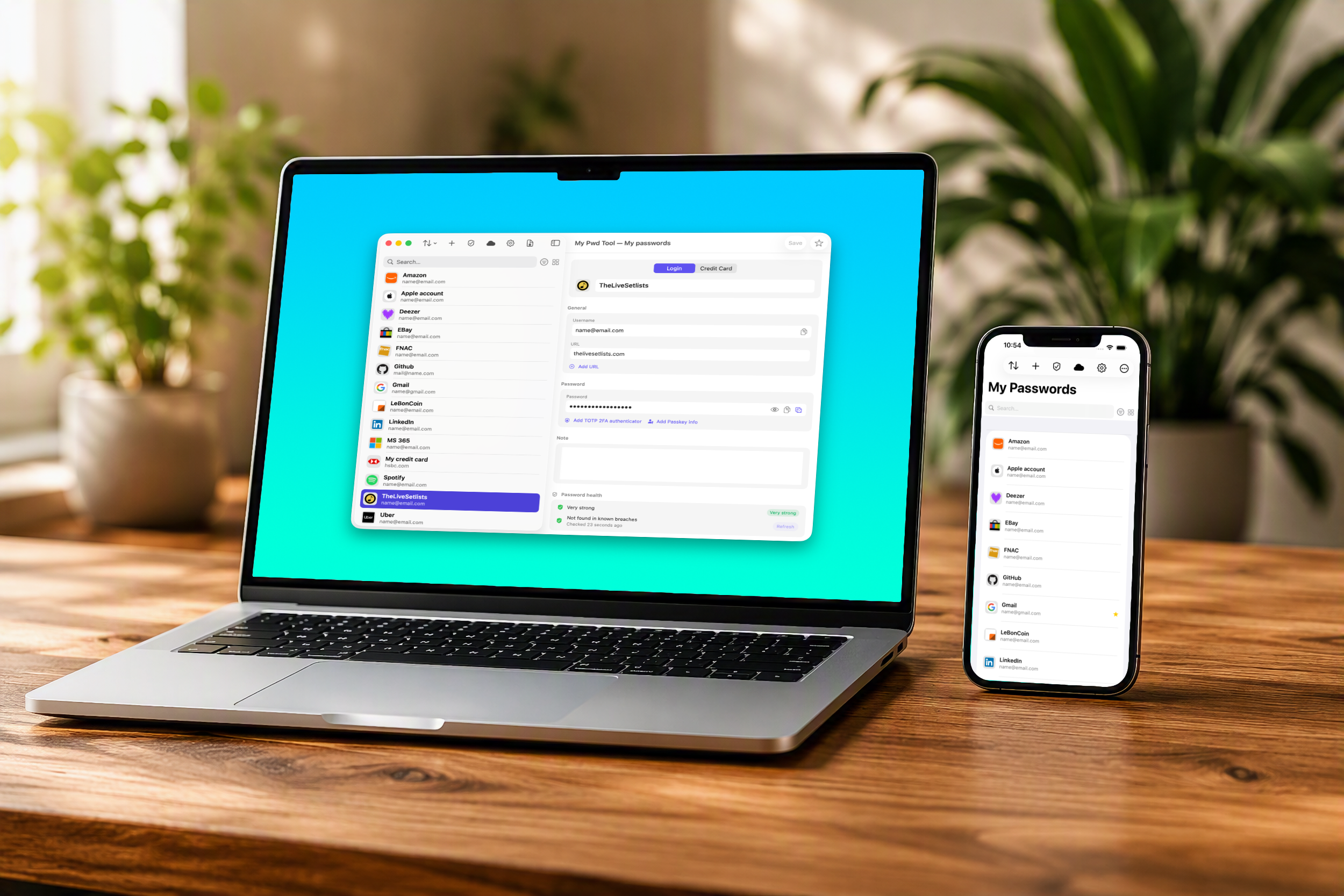
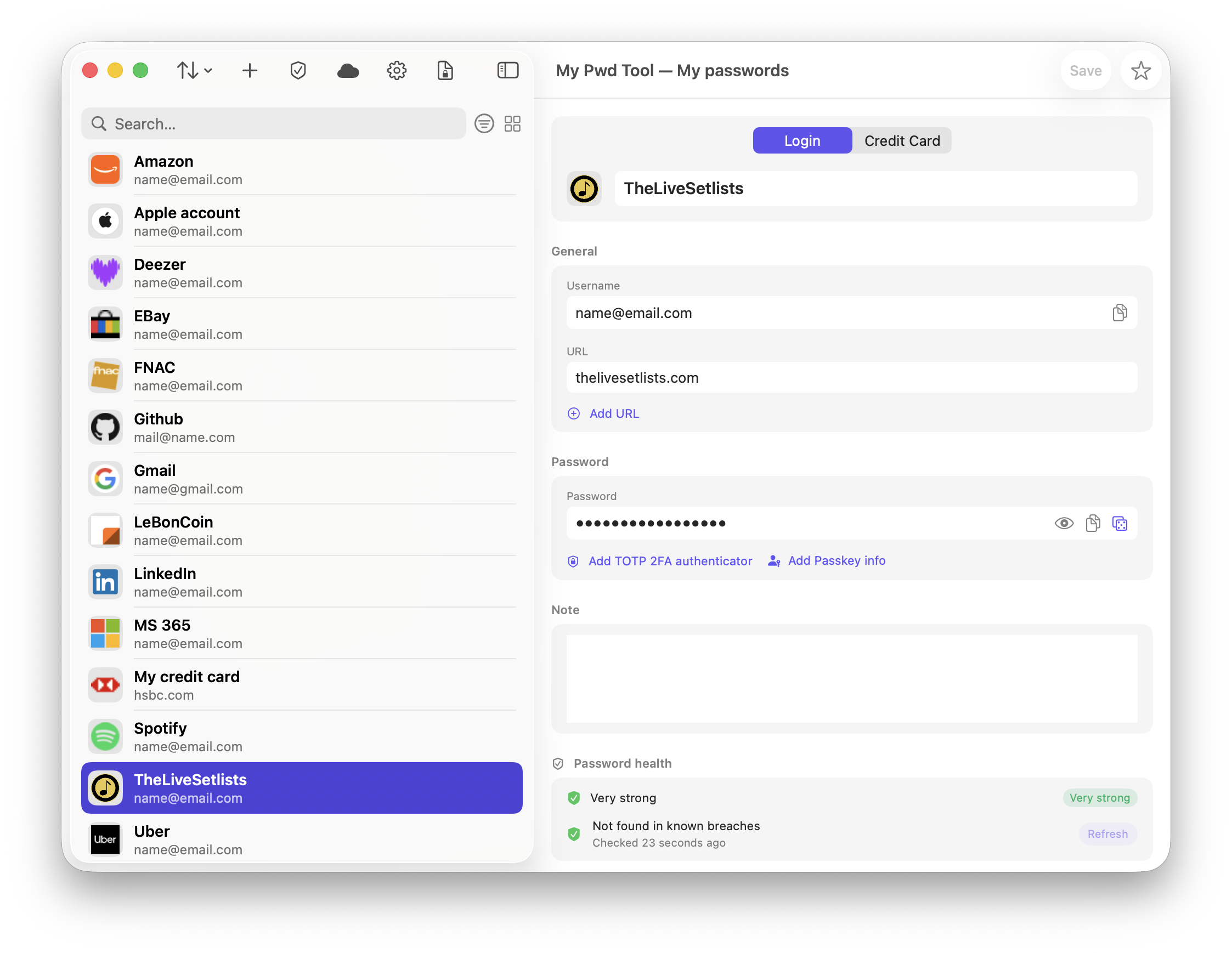
MyPwdTool is a password manager that stores your passwords, passkeys, two-factor codes, and payment cards in an encrypted vault on your own device.
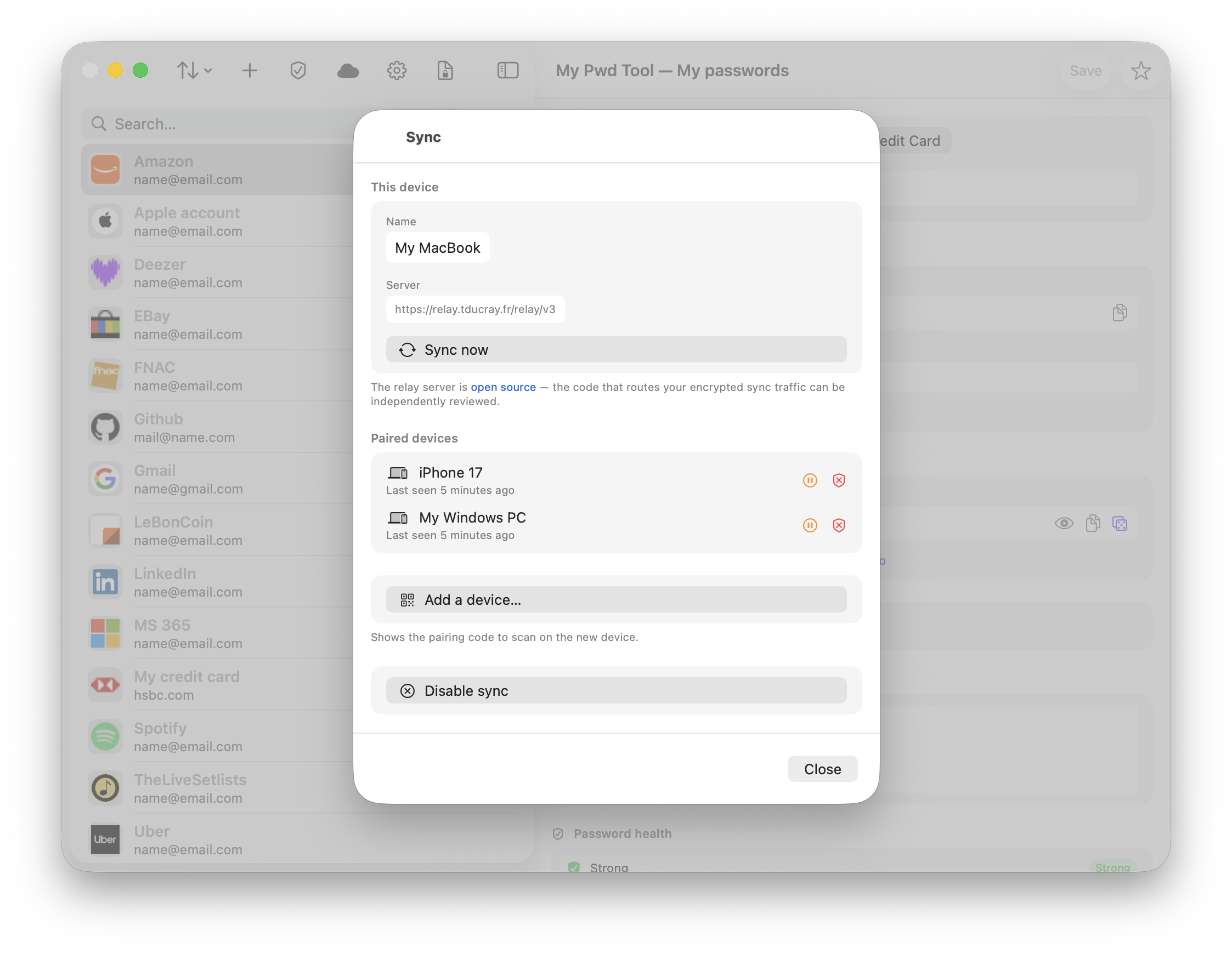
It can keep that vault in sync across your other devices, without ever giving MyPwdTool, Cloud, Servers — or anyone else — the ability to read your data.
Everything you need is free. And anonymous. The vault itself, browser autofill, password health checks, breach checks, two-factor codes, and encrypted backups cost nothing and work fully offline.
Multi-device synchronization is the one optional paid feature — see Subscription & Pricing.
In both cases: no account needed, we don’t know you, we don’t know who’s using the app, you don’t need another account to enable multi-device features. You just pay on Apple App Store or Google Play Store. We will never know you, or your passwords.
Downloads
Coming soon.
Tarifs
| Feature | macOS / iOS (free) | Windows (free) | macOS / iOS (with subscription — $2.99/y) |
|---|---|---|---|
| Local encrypted vault | ✓ | ✓ | ✓ |
| Multiple vaults | ✓ | — | ✓ |
| Browser Extension (Safari & Chrome) | ✓ | ✓ | ✓ |
| AutoFill on iOS/macOS | ✓ | — | ✓ |
| Password health audit | ✓ | — | ✓ |
| Breach check (Have I Been Pwned) | ✓ | — | ✓ |
| Two-factor (TOTP) codes | ✓ | ✓ | ✓ |
| Passkey metadata storage | ✓ | ✓ | ✓ |
| Encrypted backup & CSV import/export | ✓ | — | ✓ |
| Activity log | ✓ | ✓ | ✓ |
| Multi-device (Joining an existing sync group) | ✓ | ✓ | ✓ |
| Multi-device (Creating a sync group) | — | — | ✓ |
Why so cheap? You only pay for the encrypted and highly secure relay messages that keep your vault synchronized across your devices, and for the app code signing. No vault on cloud = no permanent cloud storage to pay. Everything is on your devices. And if you stop paying, all your data remains on your devices.
Screenshots
Platforms
| Platform | Status | Notes |
|---|---|---|
| macOS | Available | Full feature set, including the Safari and Chrome browser extensions |
| iOS | Available | Full feature set, including AutoFill and the on-device password manager |
| Windows | Available | Single vault, Chrome extension, can join a sync group started on macOS/iOS — see Windows App for exact limitations |
| Android | Planned | Will follow the same design as the Windows app |
| Linux | Planned | Uses 99% of the same code as the Windows app |
Start here
- New to MyPwdTool? Read Security & Encryption to understand exactly what “your data is never readable by us” actually means, technically.
- Using more than one device? Read Synchronization — including the one real risk you need to know about before you rely on it.
- On Windows? Go straight to Windows App — everything specific to that platform lives on that one page.
- Concerned about your data? Read the Privacy Policy.
Contact
Questions, bug reports, or privacy requests: mypwdtool@tducray.fr