Metronom 137 for iOS and Apple Watch
Consulter la version française

Apple Watch & iPhone App
A metronome for Apple Watch and iPhone that simplifies your music practice. Vibrates rhythmically on your wrist, remembers the tempos of all your songs, and connects to your setlists on The Live Setlists.
Features
Apple Watch
- Metronome from 20 to 320 bpm
- Very easy to adjust by simply sliding on the screen
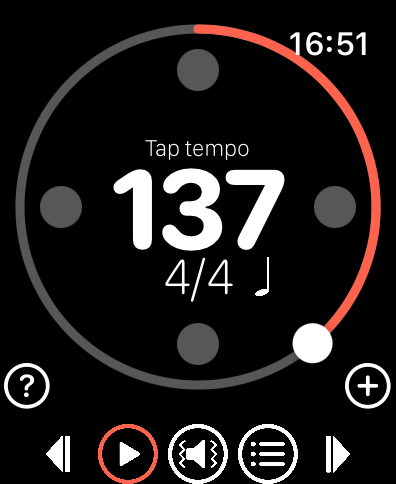
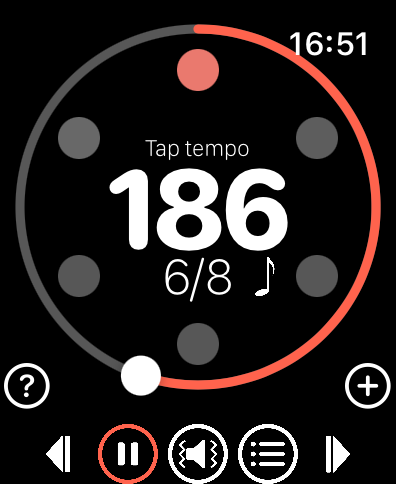
- Marks the beat by vibrating and emitting a sound, with 4 modes: vibration and sound, sound alone, vibration alone, discrete mode
- Tap tempo function by tapping in the center of the screen
- Signature management (4/4, 3/4, 6/8…) by swiping from the center of the screen
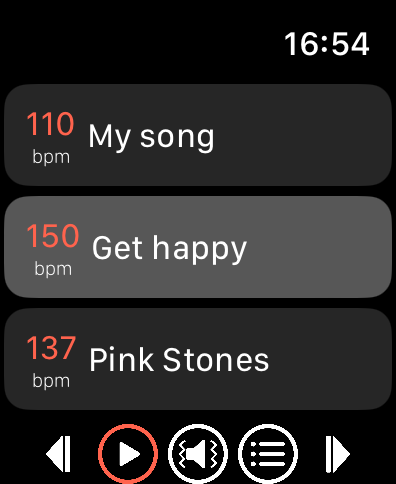
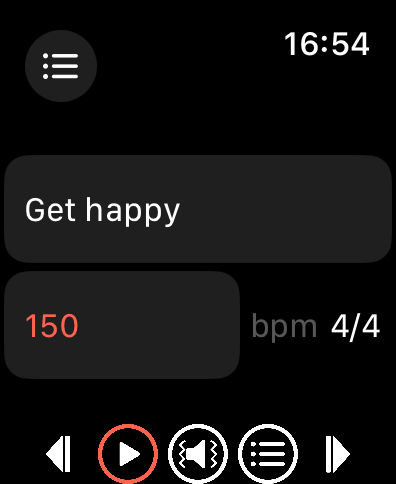
- Setlist management: save the current setting, name it, change the BPM if needed, reorder and delete tracks as you wish
- Skip to the previous or next song with a single tap
- Built-in help
iPhone companion app
- Full metronome with the same features as the Apple Watch app
- Multiple named local setlists
- Browse and load setlists from The Live Setlists (optional account required)
- Tempo and time signature automatically synchronized between iPhone and Apple Watch in real time
The Live Setlists integration
Metronom 137 is partnered with The Live Setlists, a platform where you can build and manage your setlists and collaborate with your bandmates. Any setlist you create on The Live Setlists is automatically available in Metronom 137 for your rehearsal sessions. When you adjust the tempo or time signature on your iPhone or Apple Watch, the change is saved back to The Live Setlists so your whole band always sees the latest values.
Changelog
Version 1.2
- iPhone companion app
- Multiple named local setlists on iPhone
- Integration with The Live Setlists: browse, load and play your TLS setlists directly from the app
- BPM and time signature changes automatically synced back to The Live Setlists
- Real-time synchronization between iPhone and Apple Watch
Version 1.1 Setlist feature improvements:
- Remember last selected track in setlist
- Buttons to skip to the previous or next track in the setlist
Screenshots
Metronom137 on iOS
Metronom137 on watchOS
User manual
Download user manual for watchOS app here: User Manual
Support
You can contact the developer by e-mail: info (@) tducray.fr
Privacy policy
Personal data
Metronom 137 respects your privacy. A The Live Setlists account is entirely optional. The app works fully offline without one.
Without a The Live Setlists account, Metronom 137 does not collect any personal data, or any data for that matter. Everything stays on your devices.
With a The Live Setlists account (optional), the following data is involved:
| Data | Where stored | Purpose |
|---|---|---|
| Email address | On your device (iPhone) | Display your account in the app |
| Authentication token (JWT) | On your device (iPhone Keychain, Apple Watch) | Authenticate requests to The Live Setlists |
| User identifier | On your device (iPhone) | Identify your account |
| Device identifier | Sent to The Live Setlists servers at login | Remove ads while using The Live Setlists website pages on your device (iPhone) |
| Setlist and track data | Fetched from The Live Setlists servers | Display your setlists in the app |
| BPM and time signature changes | Sent to The Live Setlists servers | Save your per-setlist customizations |
When you use a The Live Setlists account, the The Live Setlists Privacy Policy also applies to data processed on their servers.
Stored data
- Apple Watch: metronome settings (BPM, beats per bar, division) and your local song list. Authentication token if you are logged in.
- iPhone: metronome settings and your local setlists (names and tracks). Authentication token (Keychain) and account email if you are logged in.
You can view and delete your local setlists directly in the app. Logging out removes the authentication token and your email from the device immediately.
Definitive deletion of data
Deleting the application permanently deletes all locally stored data. To delete data held on The Live Setlists servers, contact The Live Setlists through their website.